

 Quick access:


This website uses cookies so that we can provide you with the best user experience possible. Cookie information is stored in your browser and performs functions such as recognising you when you return to our website and helping our team to understand which sections of the website you find most interesting and useful.


Visual servoing with ViSP
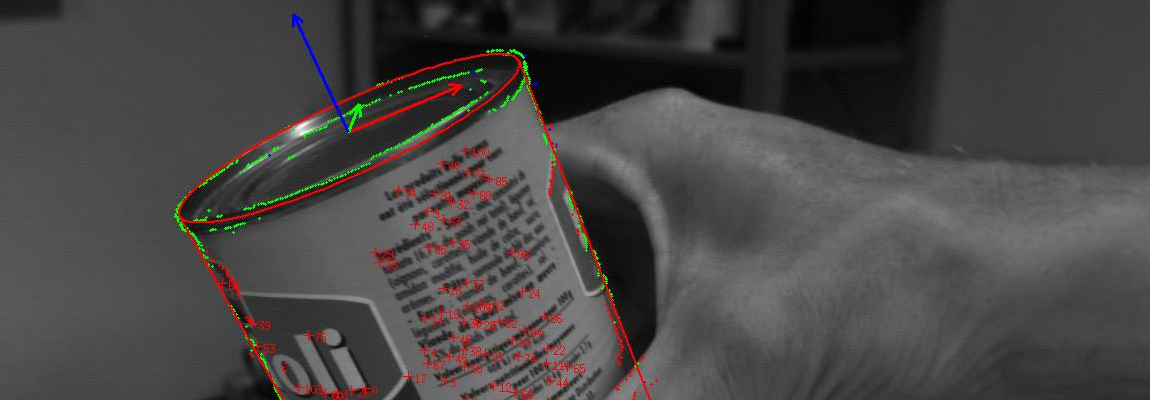
Real-time object tracking with ViSP
Augmented reality with ViSP
Open source visual servoing platform library

ViSP standing for Visual Servoing Platform is a modular cross platform library that allows prototyping and developing applications using visual tracking and visual servoing technics at the heart of the researches done by IRISA - Inria Rainbow team (previously Lagadic team). ViSP is able to compute control laws that can be applied to robotic systems. It provides a set of visual features that can be tracked using real time image processing or computer vision algorithms. ViSP provides also simulation capabilities. ViSP can be useful in robotics, computer vision, augmented reality and computer animation. Our YouTube channel gives an overview of the applications that could be tackled.
 Easy integration
ViSP provides simple ways to integrate and validate new algorithms with already existing tools. It follows a module-based software engineering design where data types, algorithms, sensors, viewers and user interaction are made available.
 Cross platform
Written in C++, ViSP builds with CMake and can exploit other open-source cross-platform third-parties, such as OpenCV, Eigen... Several platforms are supported, including OSX, Windows and Linux.
 Fully documented
ViSP online documentation allows to ease learning. More than 290 fully documented classes organized in 17 different modules, with more than 430 examples and 290 sample codes and 96 tutorials are proposed to the user.
Last News
- ViSP 3.6.0 is out 2023/09/22
- ViSP 3.5.0 is out 2022/02/23
- User Q&A forum replaced by github issues mechanism 2021/10/27